
25.08.08 See schedule warnings directly in the timetable
8/8/2025
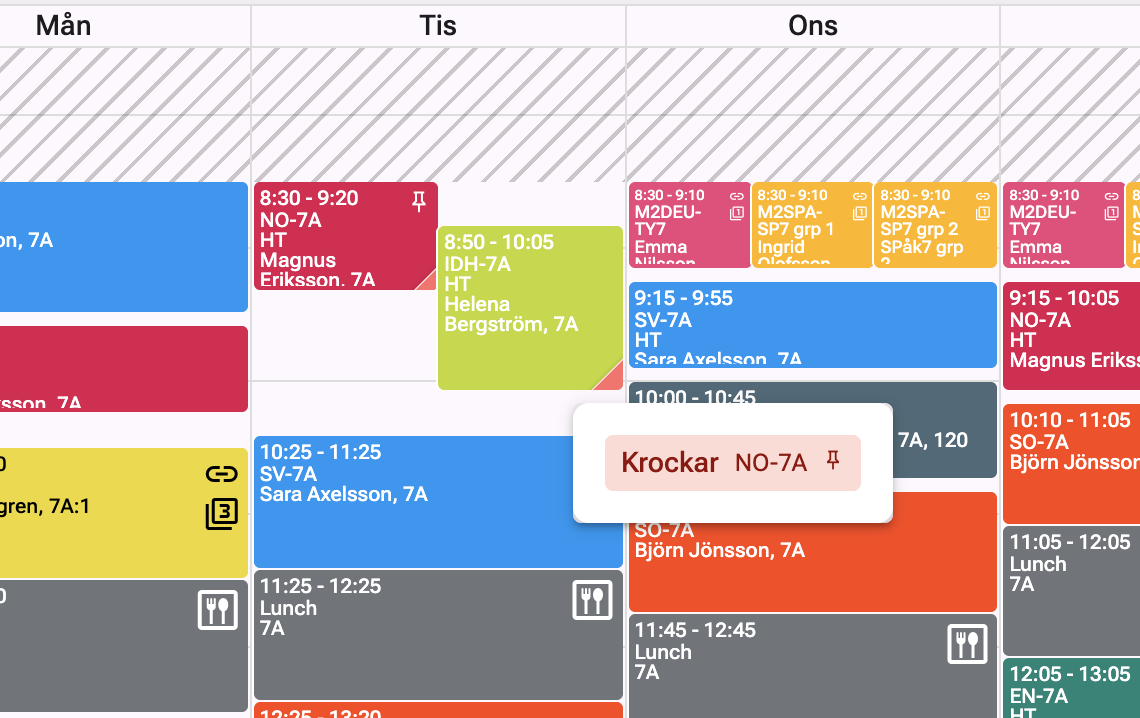
It’s now even easier to spot conflicts in the timetable. In the lower-right corner of lessons, a colored marker now indicates that something is wrong.
Hover over the warning to see what’s causing the issue, and click it to go directly to the detail view.
Just like before, the color codes apply:
- Red = conflict, e.g. a student or teacher is double-booked
- Orange = room double-booking
This makes it easier to get a quick overview and fix issues directly in the timetable.