
25.10.16 News - backups, synchronization, and printing
10/16/2025
Royal Schedule continues to evolve with a focus on simplicity and efficiency. In the latest update we’re introducing several requested improvements: the ability to manage backups yourself, improved synchronization during the school year, and an updated print feature with more customization options.
Backups
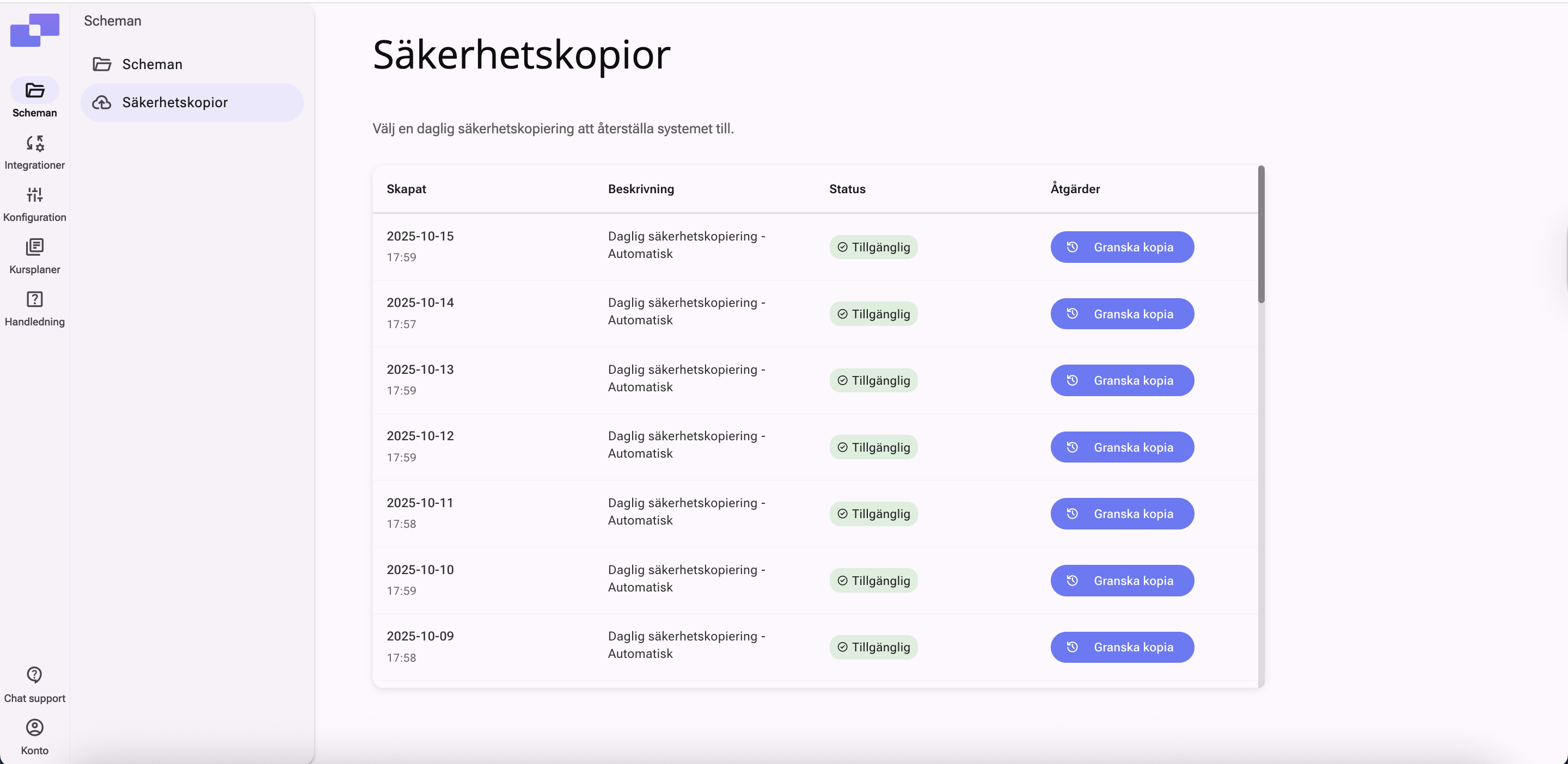
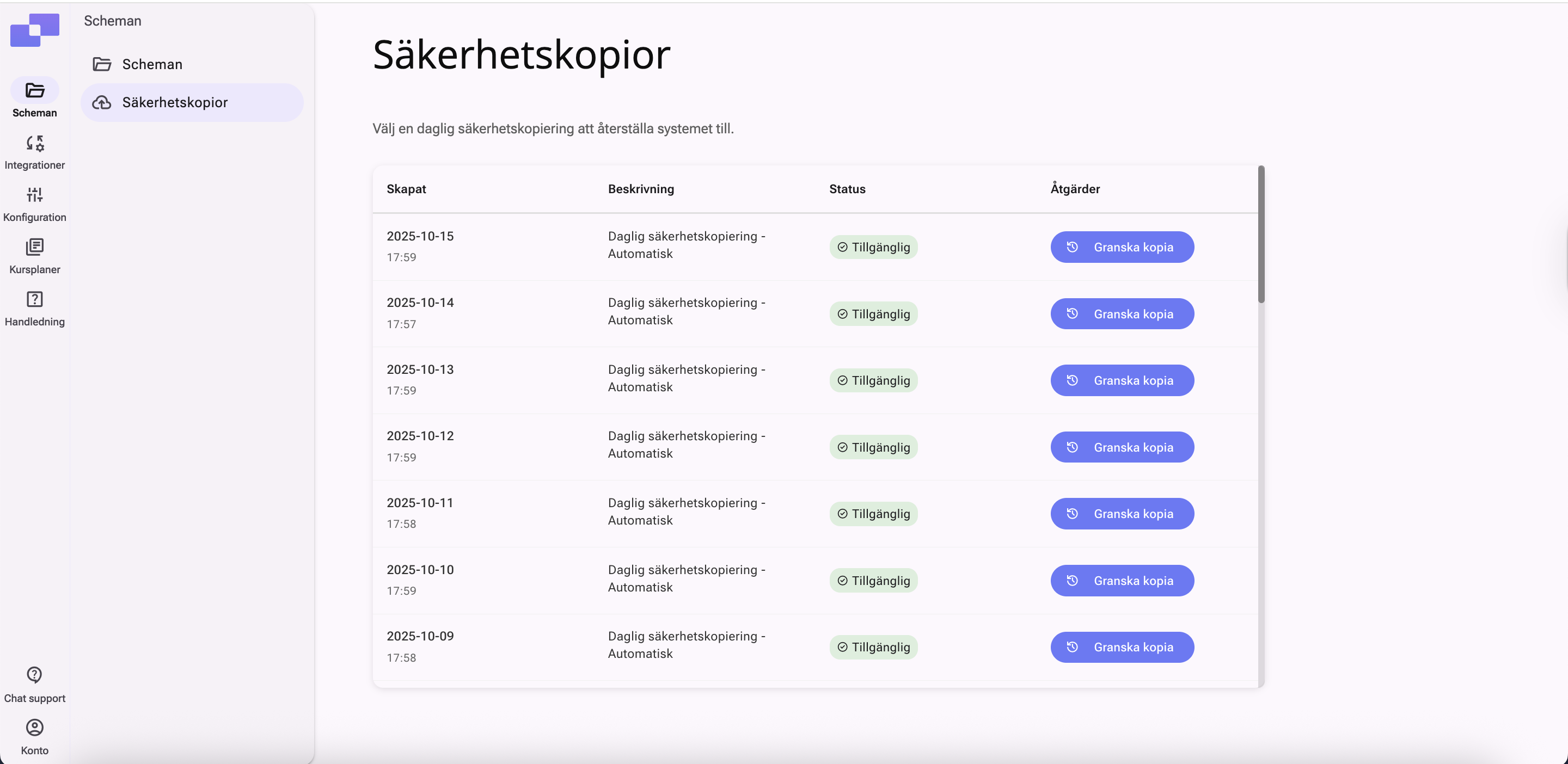
Royal Schedule is launching a new feature that makes it easier for users to manage backups of their timetables themselves. Previously you had to contact support to retrieve a backup, but now this can be done directly in the system.
You can access the feature by hovering over the desired timetable in the overview and selecting Backups. The system automatically saves a copy of each timetable every day, making it easy to restore an earlier version when needed.
To restore a timetable, select the desired day and then choose which version to use. With this new feature, users gain more control and faster access to earlier versions — an improvement that makes work both safer and more efficient.
New synchronization during the school year
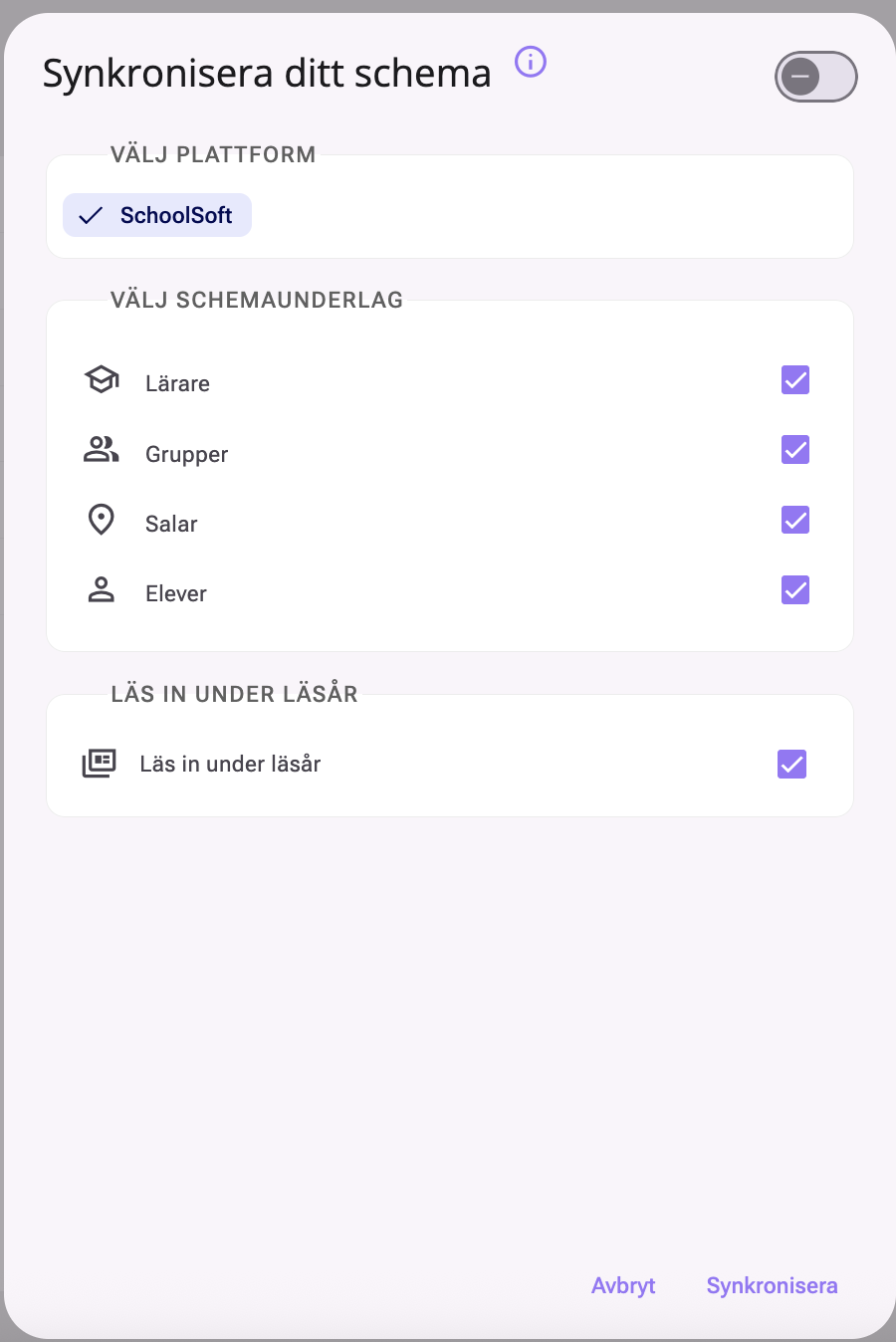
It’s now easier to synchronize data from a student register or learning platform during the term.
The interface has been updated, and the Sync during school year option is now automatically enabled when new data is imported into a timetable that’s already active — meaning we are within the timetable’s validity period.
Your choices are also saved automatically, so the system remembers which platform you use and which data you last imported. That makes the work faster, smoother, and more predictable.
New print feature
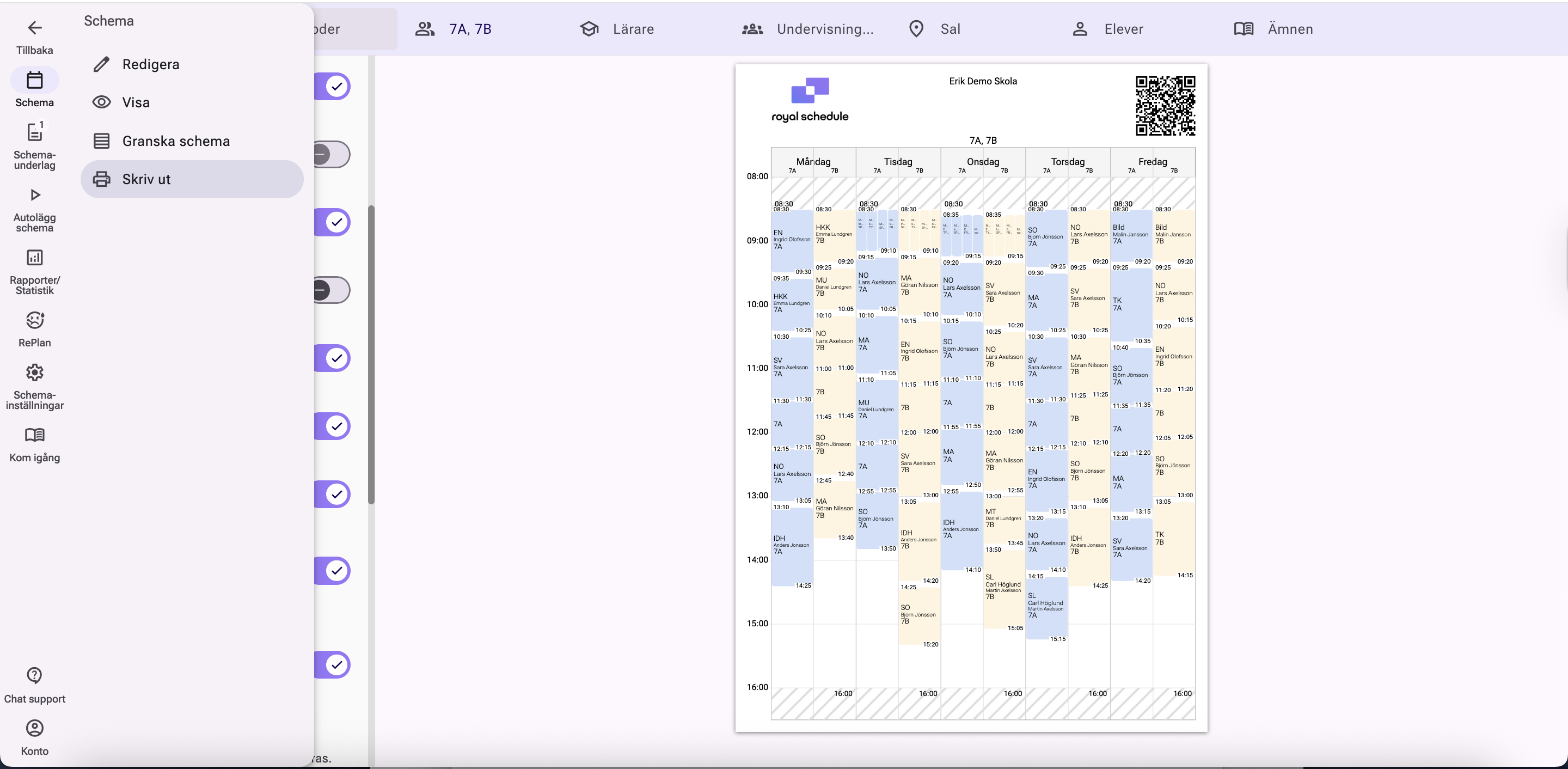
The updated print feature gives you more ways to customize how timetables are printed.
You can decide exactly what should be shown in the lesson box, which makes it easier to see the information you need even when many lessons run in parallel. For example, you can choose how start and end times are displayed (inside or outside the frame), whether the teacher’s name or signature should be used, and whether course names, rooms, and other information should be shown or hidden.
You can also print multiple timetables side by side and choose between vertical or horizontal layout. In print mode, you can adjust colors and color themes and choose to print only certain days — practical when several timetables need to fit on one page.
In addition to these updates, several performance improvements have been made to increase speed and stability. Royal Schedule continues to evolve continuously with a focus on usability and efficiency.