
24.02.2025 Several new features in Royal Schedule including room prioritization and new scheduled time report
2/24/2026
Over the past few months, we have been working intensively on developing Royal Schedule and have released a number of new features in the system. However, we haven't had time to update this page at the same pace.
Therefore, we have gathered several of the latest features that are now available in production. Below is an overview of some of the new features.
Updated reports and new scheduled time report
All reports in Royal Schedule have been updated with expanded functionality.
It is now possible to export reports to Excel and filter out specific subjects directly in the report view.
We have also added a new report for scheduled time where you can analyze teachers' scheduled time week by week. In this report you can:
- Choose to exclude specific subjects
- Set margins in minutes before and after the workday
- Choose whether locked times should be included or not
The report is available under Reports/Statistics and Scheduled Time.
Adjust lesson length directly in the schedule view
It is now possible to adjust the length of a lesson directly in the schedule view by dragging the bottom edge of the lesson up or down.
This change only affects the lesson in the current schedule and corresponds to manually entering the lesson and changing the length under time settings.
If you instead want to make a permanent change to the lesson length, you need to click the pen icon and update the length from there. Then the schedule state is also updated.
Right-click menu for lessons
You can now right-click on a lesson in the schedule to quickly access several actions.
Via the right-click menu you can:
- Split the lesson into two parts
- Duplicate the lesson and create an identical copy
- Remove the lesson for the current week
- Remove the lesson for all weeks
Splitting or duplicating a lesson also affects the schedule state.
Room prioritization during scheduling
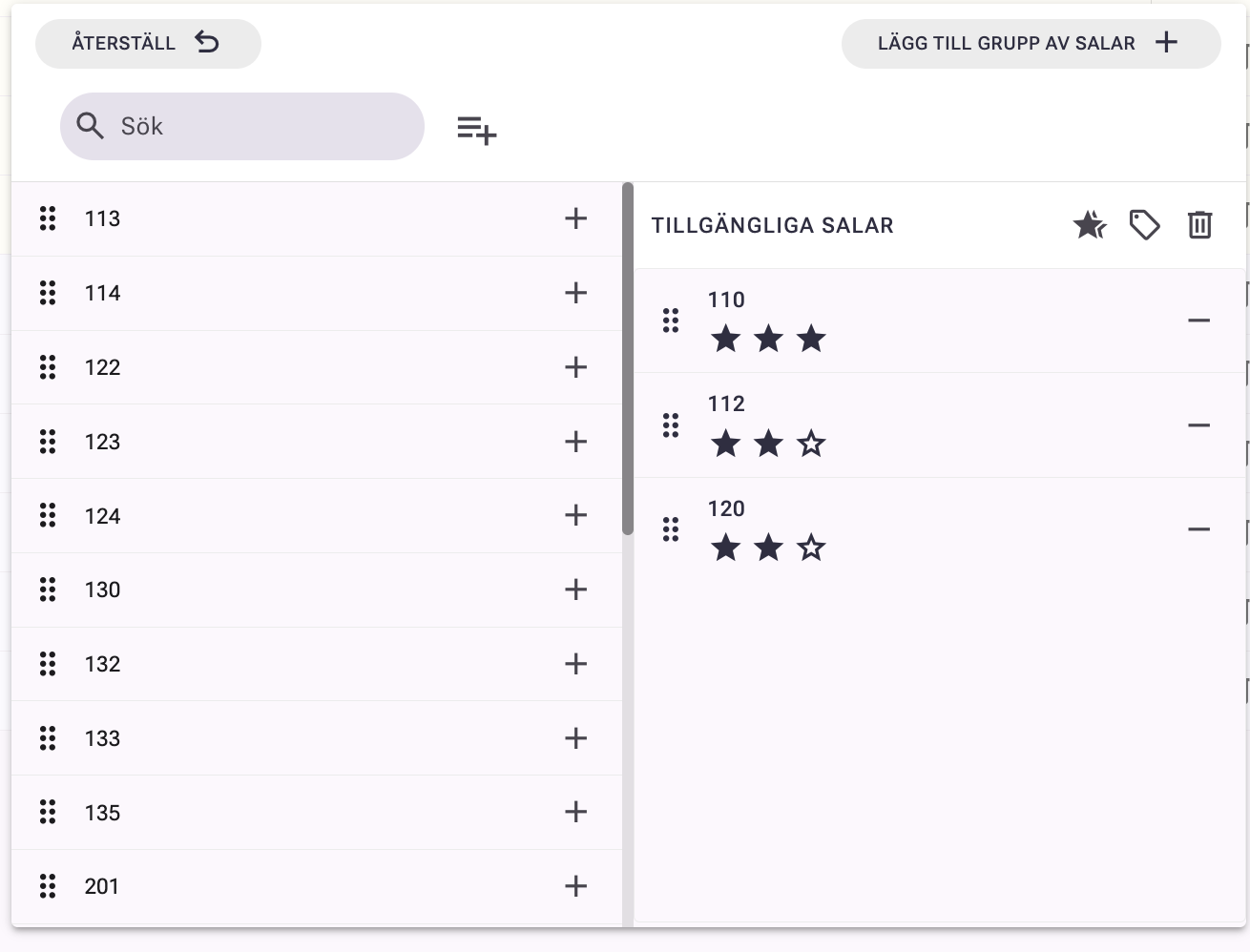
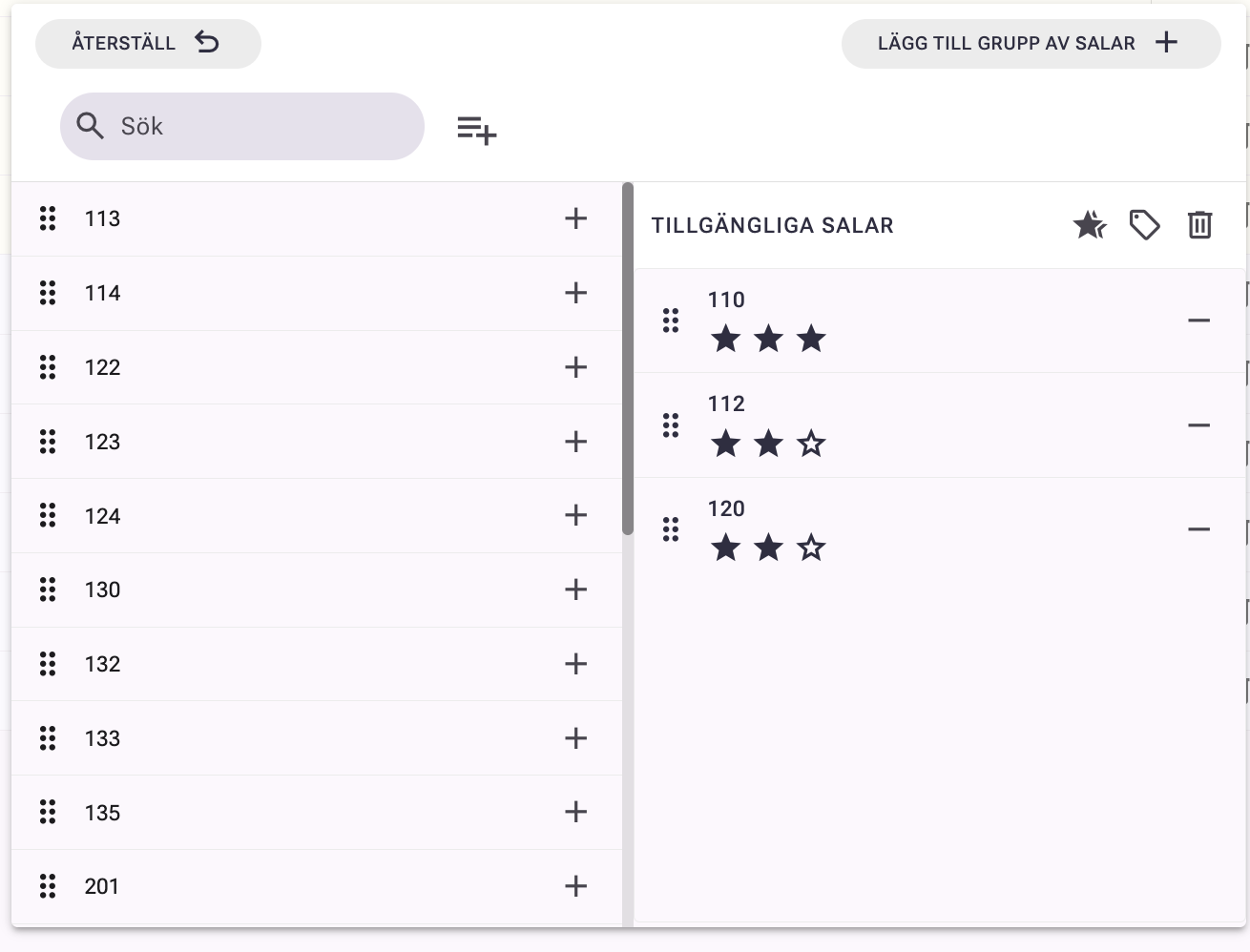
It is now possible to prioritize rooms directly in the system by activating a ranking. By assigning rooms a number of stars, you can specify which rooms should be prioritized during scheduling.
When this ranking is activated, both automatic scheduling and manual scheduling will take the prioritization into account. The system schedules primarily the rooms with the highest ranking and simultaneously filters out rooms that are already occupied at the current time.
Note that lessons already placed on the schedule are not affected by changes in the room's ranking.
Customizable lesson boxes in the schedule
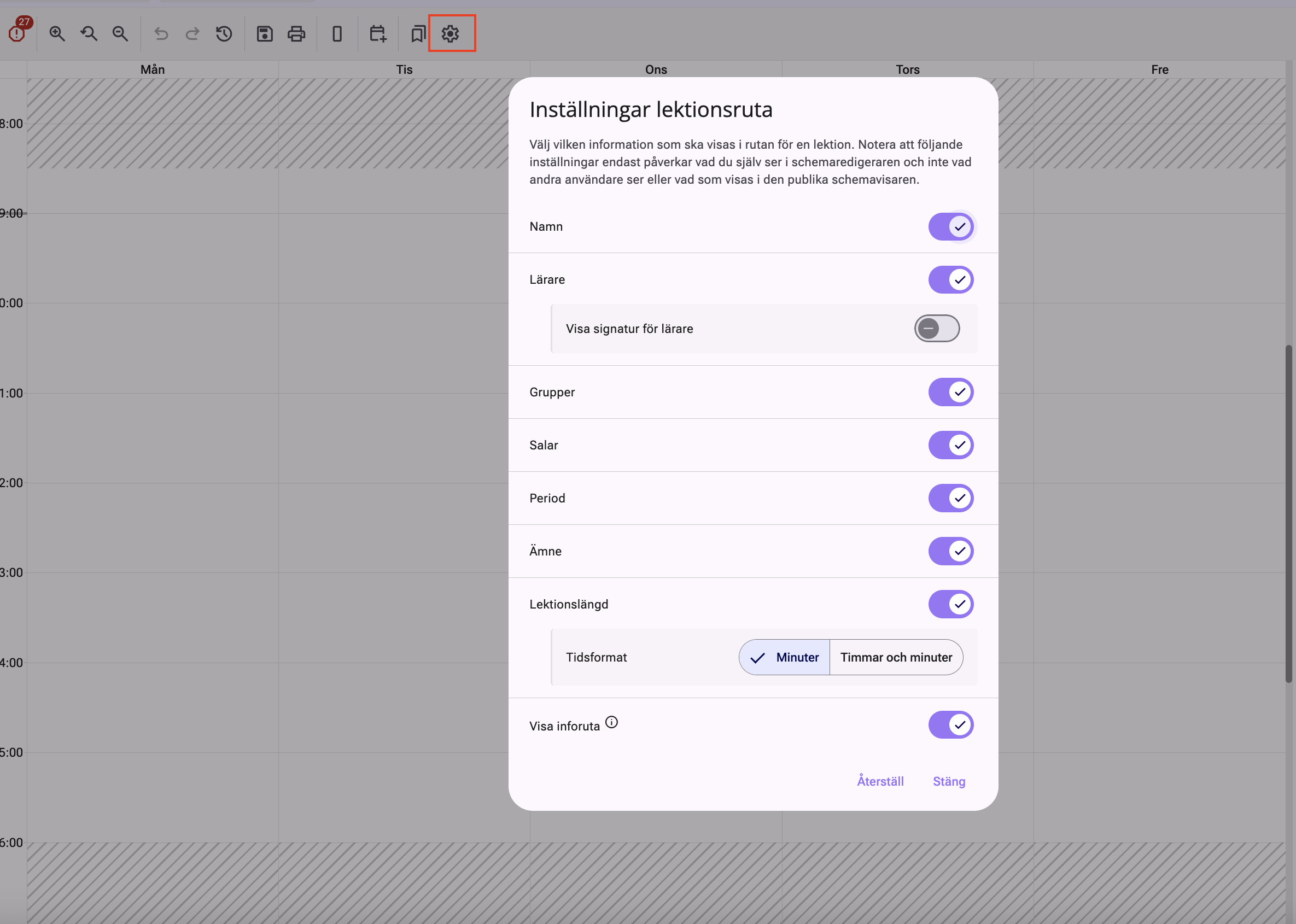
You can now control what information is displayed directly in the lesson boxes in the schedule. Via settings for lesson boxes, you can choose whether you want to display signatures instead of names and whether groups, rooms, periods, subjects, and lesson length should be displayed in the box.
There is also the option to activate an info box. When this is enabled, you can hover over a lesson to display all available details, such as time, teachers, groups, and rooms. This can be particularly useful in schedules where several lessons run in parallel and where it otherwise can be difficult to get a quick overview.
Pinned lessons with extended warnings
We have also improved the handling of pinned lessons.
When a lesson is pinned and you try to move, hide, or otherwise change it, a clear warning now appears. This applies both to drag and drop and when shortcuts are used. If you don't want to see the warning every time, there is an option to turn it off directly in the dialog box.
Clearer handling of parallel lessons in the schedule
It has also become easier to work with lessons that run in parallel.
When you try to move a lesson that is parallel with others, a dialog now appears that informs you which additional lessons are affected by the change. You can then choose to continue or cancel the move. It is also possible to open a special view where all parallel lessons are displayed together, making it easier to get an overview before making a change.
We encourage you to test the new features in your scheduling work and feel free to return with feedback.