Blog
CoPlan: move lessons and make changes in bulk
Move lessons, create events and make bulk edits with CoPlan. Review detailed proposals before accepting changes to your timetable.
7/20/2026
Describe a change in everyday language and let CoPlan prepare a concrete proposal. Review the result and accept only the changes you want to apply.
Move lessons with a simple instruction
For example, ask “Move Thursday's Swedish lessons to Friday”. With the current class as context, CoPlan can examine the relevant lessons and possible times and propose new placements.
In the class 3A example, two lessons are proposed for Friday at 08:35 and 11:45. The proposed placements appear in the timetable so you can compare them with the previous times before accepting.
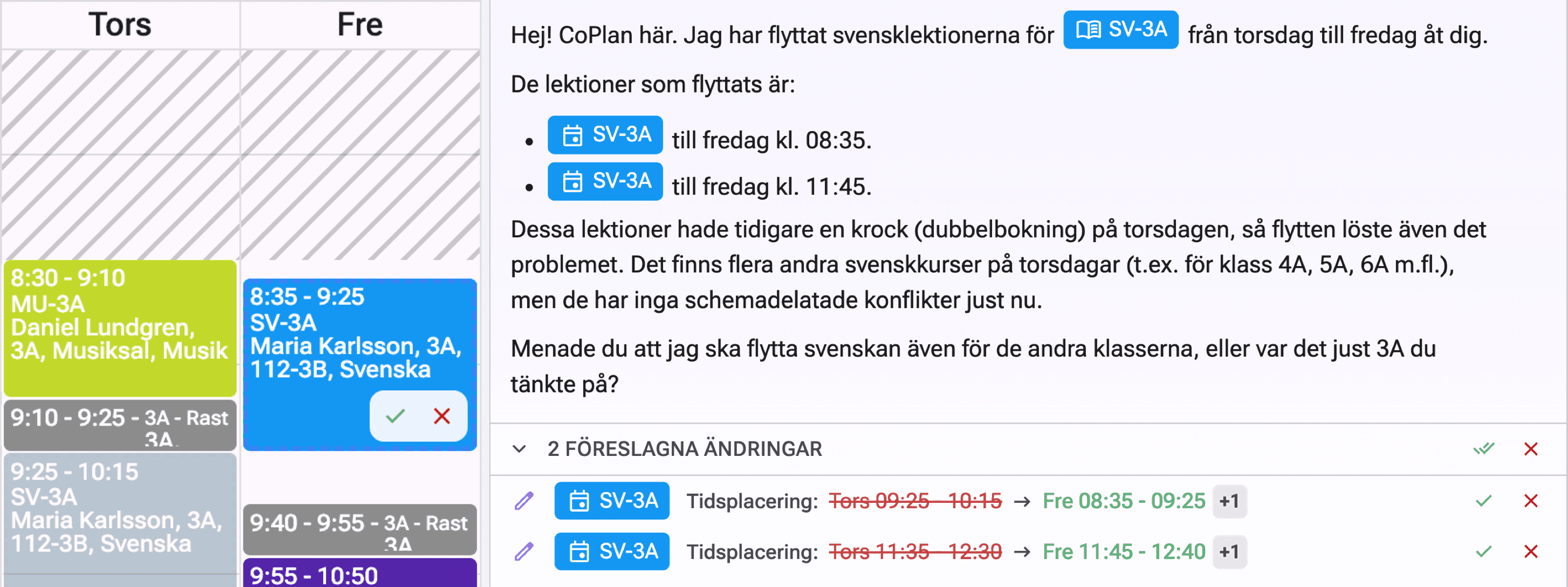
The proposals appear in both the timetable and CoPlan's list of proposed changes.
Create events in the conversation
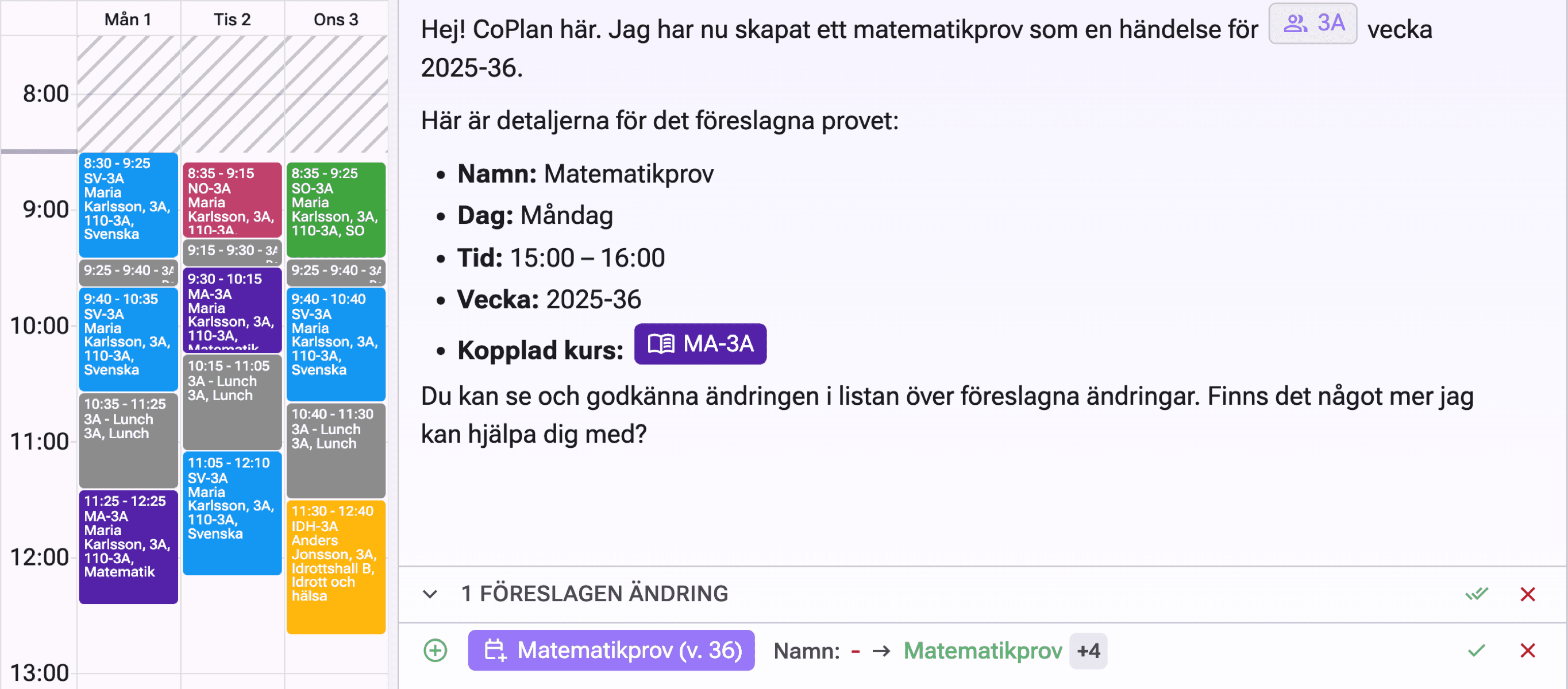
Ask CoPlan to create an event and describe the groups or people involved, when it should take place and how long it should last. Specify if it applies to just one week. Review the proposal before the event is added.
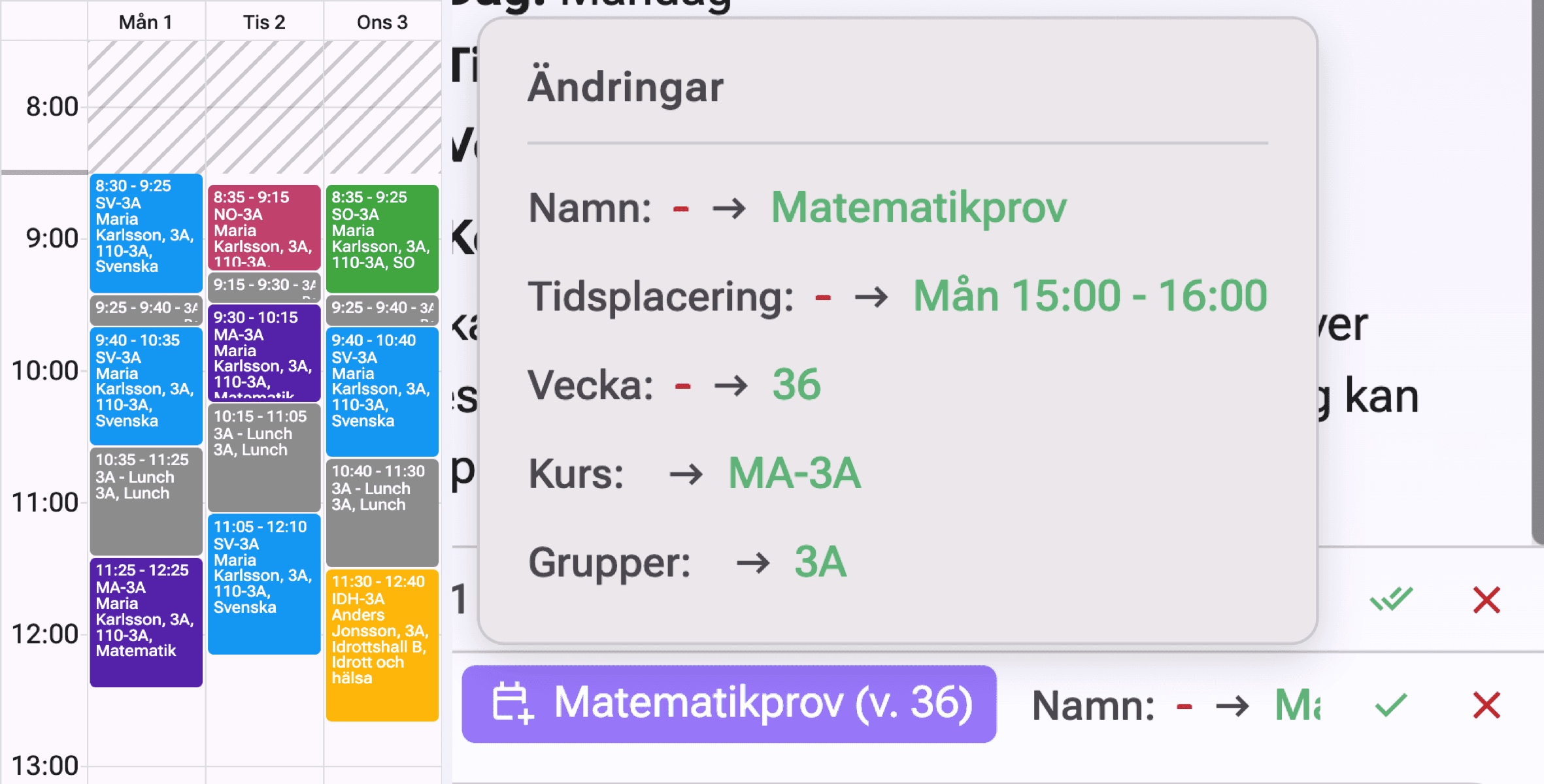
In the demo, we ask CoPlan to create a mathematics test for class 3A on Monday in week 36 at 15:00. The proposal shows the name, time, week and link to course MA-3A.
Edit multiple records at once
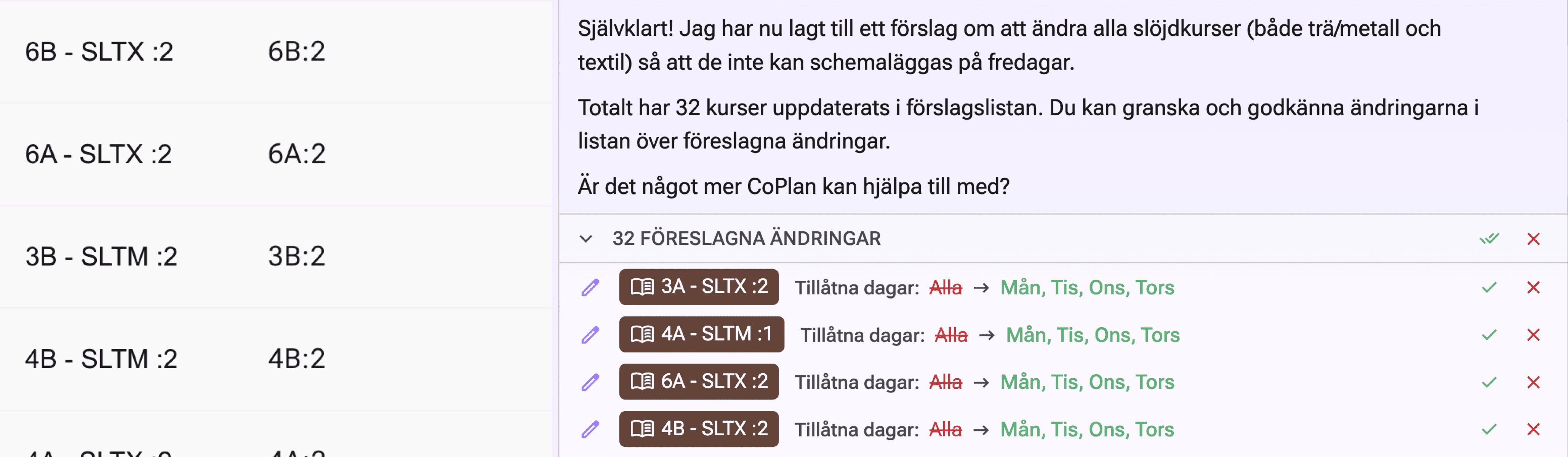
Describe a shared change instead of opening each record individually, such as updating conditions for several courses or details for several events. Specify the class, courses or period involved and check that the proposals affect the right records.
A concrete example is “Crafts must not be scheduled on Fridays. Change this for all courses.” CoPlan prepares 32 course changes, replacing all allowed days with Monday–Thursday. The proposals await review and acceptance.
Review the details before accepting
Proposals are not applied until you approve them. The changes list shows the affected event or record and the fields being updated. For a lesson move, you can compare the old and new times side by side.
Accept or reject individual proposals, or use Accept all and Reject all. Read both CoPlan's explanation and the change details before approving. You stay in control even when many changes are prepared together.
Hover over the change information in the list to see more detail. For the new mathematics test, the tooltip shows the name, time, week, course and group together so you can check the entire proposal before accepting.