
Blog
A first look: Plan takes service planning further
See how Plan uses study plans for GY and Timplan for GR to generate service allocation and reports, then compare planned hours with actual outcomes.
10/26/2026
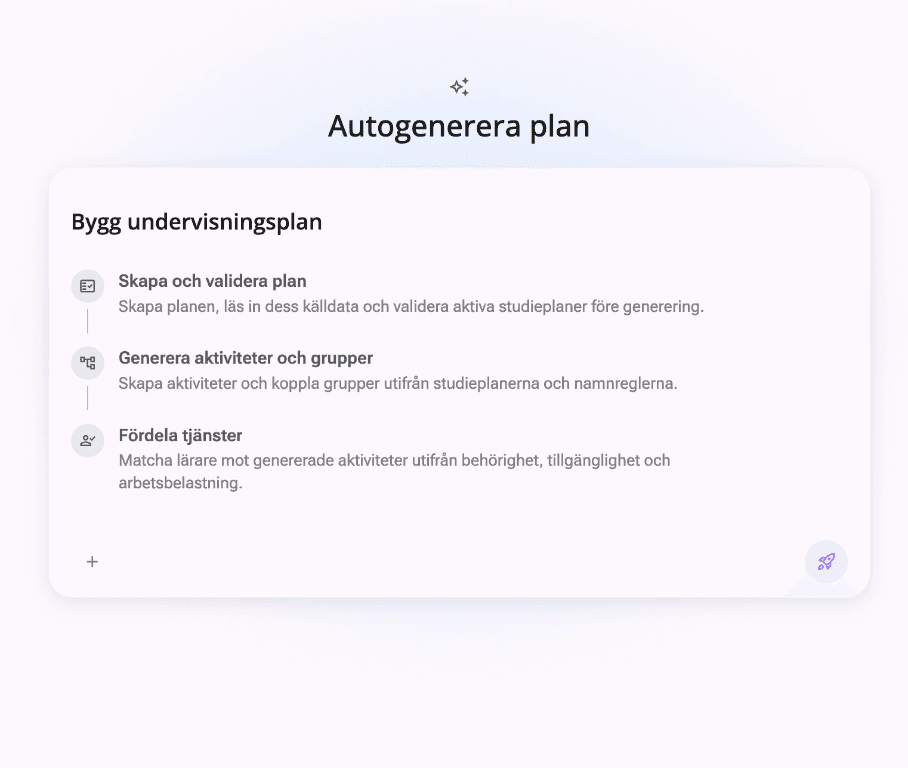
From planning data to service allocation
Plan brings key parts of service planning together in one connected workflow. Start by creating and validating the plan. Plan reads the source data and checks that it is ready before generation begins.
For GY, the workflow is based on study plans. These are validated and used to generate activities and groups. For GR, Timplan provides a clear overview of teaching hours by subject and grade, across the lower and middle stages.
Generate and allocate services
Once activities and groups are ready, Plan matches teachers to activities based on qualifications, availability and workload. You get a service-allocation proposal to review and adjust, with the planning data connected from the start.
All reports—and follow-up against actual hours
Generate all reports directly from the service-planning data instead of manually compiling the same information across multiple documents. You can also compare planned hours with actual outcomes and see how the allocation works in practice.
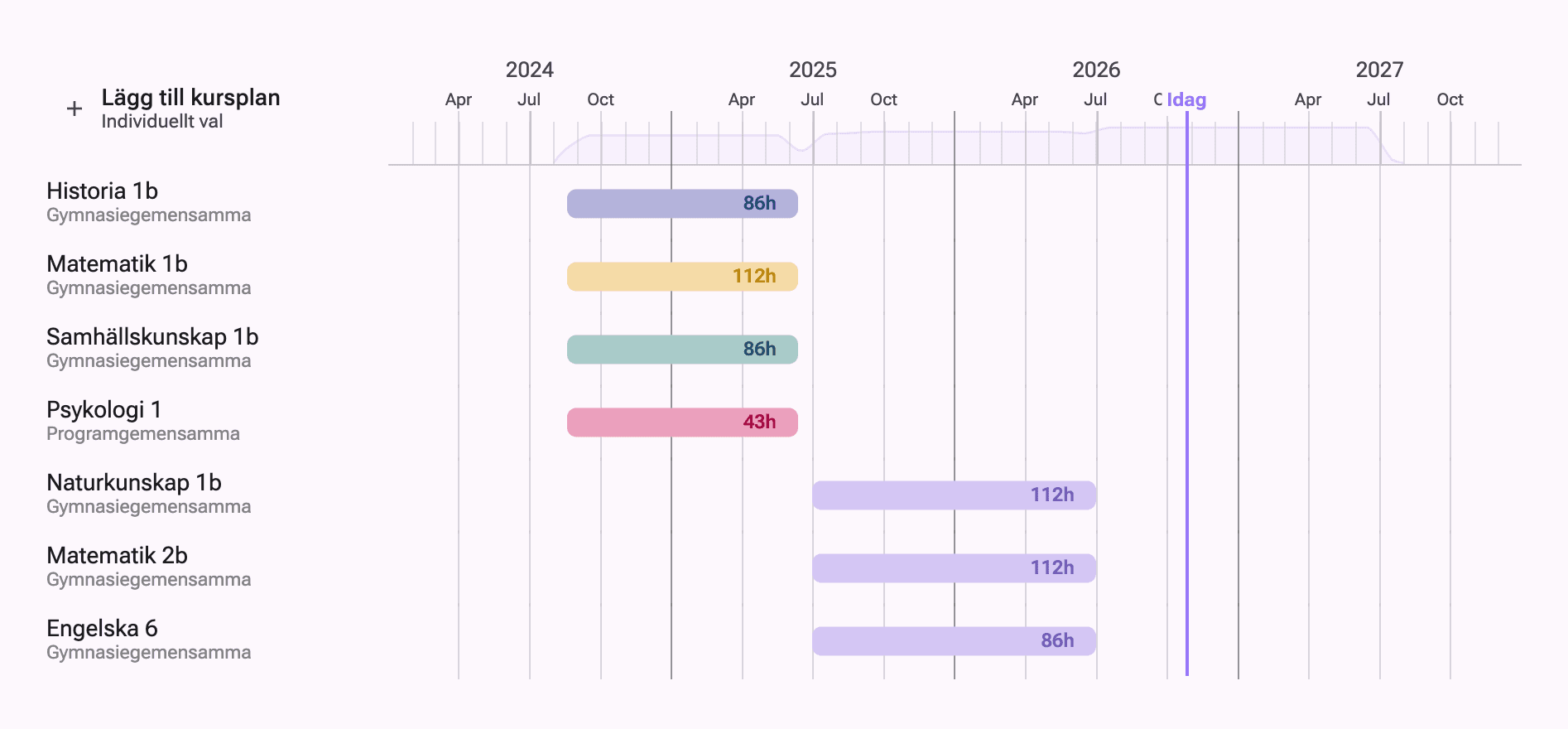
GY study plan in Plan
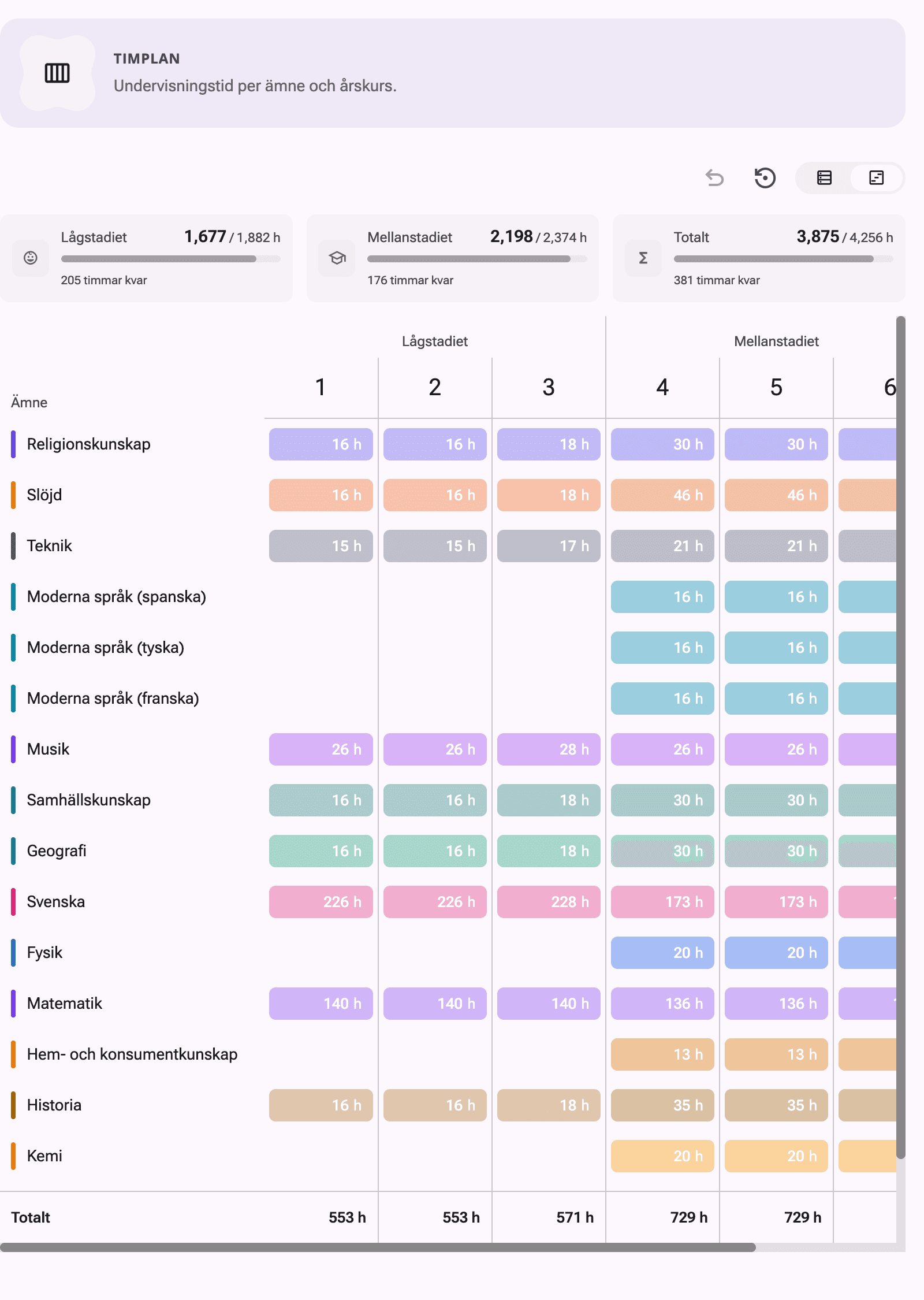
GR Timplan in Plan
This is a first look at an important part of Plan. From validating source data to automatic generation, reports and follow-up, Plan supports a clearer, more connected service-planning process. Contact us to learn more about Plan.